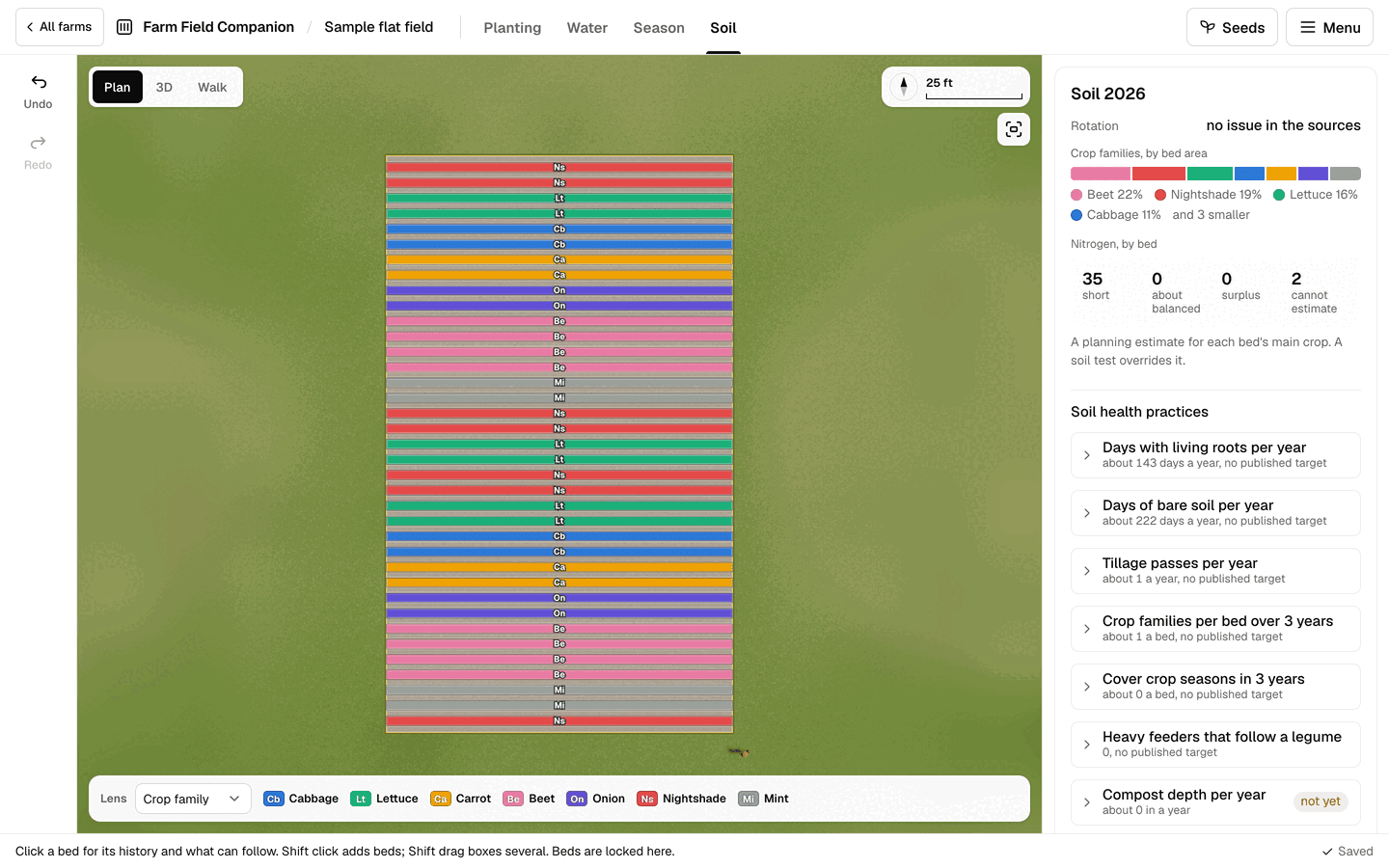
The problem
A rotation plan is easy to write and hard to keep. After a season of successions, swaps and a bed that went to something else at the last minute, last year’s map rarely matches what was grown. By the next spring nobody is sure whether the tomatoes went in bed 4 or bed 5.
Fertility is tracked even less: what each crop took out, what went back in, and whether a bed sat bare over winter.
How it works
Soil mode reads the beds you already planned, so the rotation record is the plan itself. Over the field it lays a lens, with a short family code on every bed:
- Rotation: how long since each family was last in that bed, with “too soon” hatched.
- Crop family, in fixed colors chosen to be told apart by color blind eyes.
- Nitrogen: a planning budget per bed: the crop’s sourced need, less the credits it can count on.
- Bare soil days: how long each bed sits with nothing growing.
Select a bed and its card shows:
- its history, typed in place for years before the planner;
- rotation warnings for each crop, and what can go there next;
- cover crops that fit the gap after its last crop;
- the amendment calculator, which turns a typical rate into how much to buy for that bed.
The field summary keeps a soil test log and a checklist of practices such as compost, living roots and bare soil. When the season ends, Start next year copies the plan to the next year, keeps the perennials, clears the annuals, writes this year into each bed’s history and suggests a rotation that you can take, change or ignore. Everything prints and downloads as a CSV.
What it does not do
A bed is read by its main crop, the one longest in the ground that year, so companions tucked among it are not in its history. Soil tests are logged for the whole field, not per bed. A suggested rotation carries crops, not successions or dates, so those are planned again in Season mode. The nitrogen budget is an estimate from typical figures, not a soil test.
Questions
- How does it decide a rotation is too soon?
- Each crop family has a sourced number of years before it should return to the same bed, and some crops have their own rules about what they should not follow. The planner reads each bed’s history and warns when a crop comes back sooner, at its first sowing of the year. A family with no sourced figure gives no warning.
- Do I need past years in the planner to use it?
- No. You can type the crops a bed held in earlier years straight into its history, by crop or by family, and the warnings use them.
- Does rotation take care of soil disease?
- Not always, and the planner says so. For some problems, such as several tomato diseases, the warning states that rotation alone does not control them.
See also
- Succession planting planner: Sowing dates, successions and harvest by the week for every bed, on one timeline.
- Seed inventory and seed planner: Seed on hand, what this year’s plan needs and by when, and what is left to buy.
- All features, and pricing: one subscription for every flat field you own.